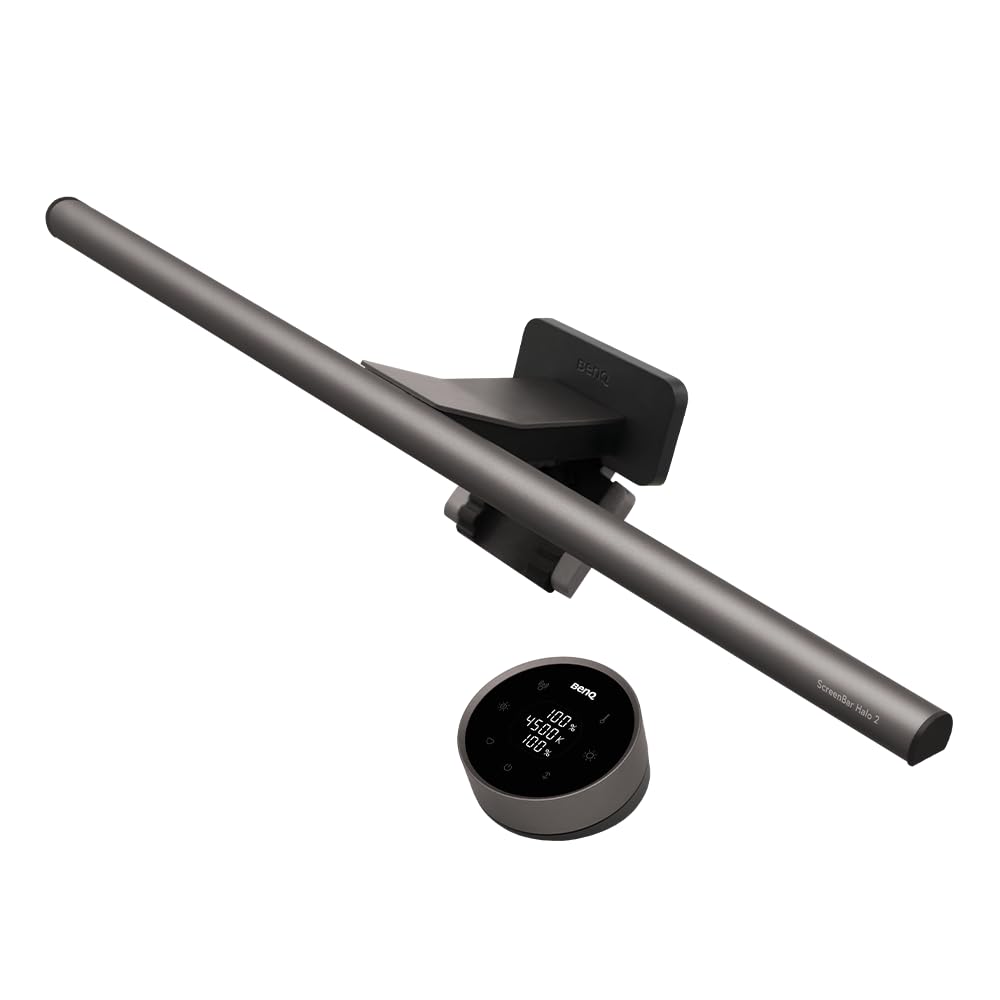
The BenQ ScreenBar Halo 2 is the latest iteration in the company’s line of monitor-mounted light bars, and it brings a few notable changes over its predecessor. The most obvious addition is a wireless, puck-shaped controller that sits on your desk, replacing the wired dial found on earlier models. This controller uses a coin-cell battery (included) and communicates with the light bar via a proprietary wireless protocol. It feels responsive and allows you to adjust brightness and color temperature without reaching behind the monitor. The controller also has a built-in ambient light sensor and a motion sensor that can automatically turn the light on or off when your hand approaches. In practice, the motion sensor works reliably—a quick wave turns the light on or off, which is handy if you step away from your desk frequently.
The light bar itself attaches to the top of your monitor using a weighted clamp mechanism. It does not use adhesive or screws; instead, it balances on the monitor’s bezel. This design works well for most flat and curved monitors up to a certain thickness. The Halo 2 includes an additional counterweight for thicker screens, but if your monitor has a very thick rear housing, you may need to check compatibility. The light bar projects light downward at an angle designed to avoid direct glare on the screen. In my testing, I did not notice any reflections or hotspots on a matte-finish monitor. On glossy screens, the light may still cause some faint reflection if the monitor is tilted significantly, but this is less of an issue than with many overhead desk lamps.
One feature that distinguishes the Halo 2 from many competitors is the integrated backlight. The rear-facing LEDs cast a soft glow onto the wall behind the monitor. This can reduce eye strain in a dark room by balancing the contrast between the bright screen and the darker surrounding area. The backlight has its own brightness control, but it is tied to the front light’s brightness in a fixed ratio. You cannot adjust the backlight independently without also changing the front light. This is a limitation if you prefer a very dim backlight with a bright task light. Some users may find the default ratio acceptable, but it is worth noting if you want precise control over both zones.
The front light offers a wide range of color temperatures from a warm 2700K to a cool 6500K, and brightness can be adjusted from near-zero to about 500 lux at the center of the desk. The light distribution is even, with a beam angle that covers a standard 60cm-wide desk without significant falloff at the edges. The color rendering index (CRI) is rated at 95, which is good for a monitor light bar. Colors appear natural when reading or working on detailed tasks. However, the light does not have a dedicated task light mode—it is designed primarily for ambient illumination and screen-based work, not for precision craft or soldering.
Compared to a standard desk lamp, the ScreenBar Halo 2 saves desk space and eliminates shadows cast by a lamp arm. But it also costs significantly more than a basic LED desk lamp. If you already have a good desk lamp that you can position to avoid screen glare, the Halo 2 may not offer enough additional benefit to justify the price. It is also worth noting that the wireless controller requires a coin-cell battery, which will need replacement every few months depending on usage. The controller does not have a low-battery warning, so you might be caught off guard when it stops working.
Who is this for? It is a solid choice for people who work long hours at a computer in a dim or dark room and want to reduce eye strain without cluttering their desk. It is also good for those who appreciate a clean, cable-free setup and do not mind the premium price. Who is it not for? If you need a bright, focused task light for reading paper documents or detailed hobbies, a traditional desk lamp will be more effective. Likewise, if your monitor has a very thick or unusual shape, the clamp may not fit securely. The Halo 2 is a well-made accessory with thoughtful ergonomics, but it is a specialized tool for a specific use case, not a universal lighting solution.
"Handpicked and reviewed by the DreamAlliance team — every product is verified and linked directly to Amazon."